Metafield manager tool for BigCommerce
What are BigCommerce metafields?
Unless you are a BigCommerce power-user/Developer, you might not have used BigCommerce metafields. Metafields are user defined key-value pairs that developers can attach to BigCommerce data objects(For example - Products, Product Variants, Categories, etc.).
You can use them to add a layer of custom information to products, categories, carts, and more. In most cases, metafields offer specific knowledge that's needed to fully define or enhance a custom store feature.
Use cases
-
A classic use case is when you connect BigCommerce with an ERP, there might be cases where you want to store information with products which cannot be fit into standard BigCommerce fields or custom fields. Product Metafields can save your day.
-
Another example in the catalog context is, you can add metafields to display unique identifiers that customers look for when they make purchasing decisions. For example, for a small batch coffee brand, you might define a metafield on their variant objects to store the roasted on date.
-
You can also use metafields in BigCommerce customer object to associate a BigCommerce customer with ERP, CRM style data.
Supported objects
You can work with metafields using the REST Management API, the GraphQL Storefront API, and the GraphQL Admin API.
Currently, the following objects support metafields:
- Customers
- Carts
- Channels
- Brands
- Categories
- Products
- Variants
- Locations
- Orders
Why our metafield manager Tool
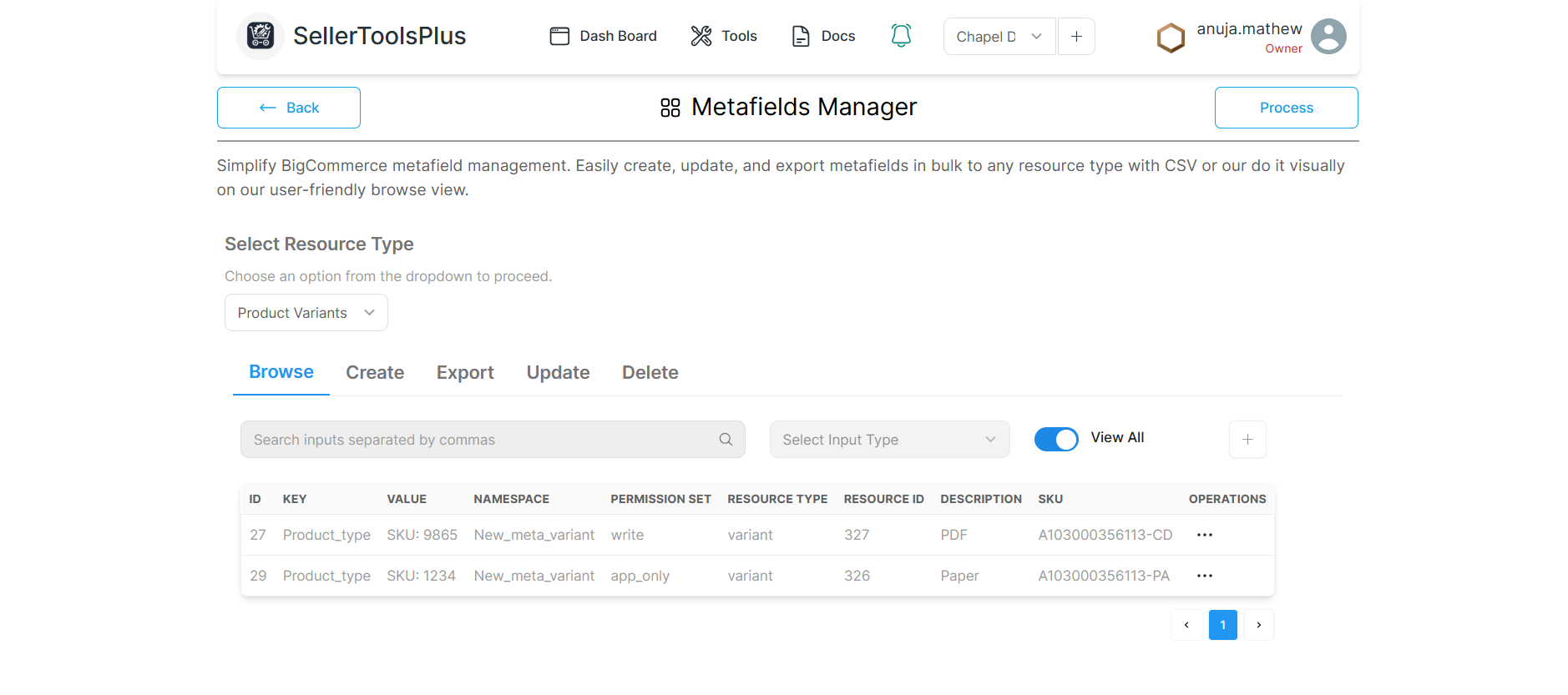
Eventhough Metafields are a powerful addition to BigCommerce capabilities, there is no native solution to manage metafields or view in bulk. The current version of our tool lets a user manage metafields easily with the following capabilitites.
- Manage BigCommerce metafields(create, update, export, delete) in bulk using simple CSV templates.
- Our Visual editor in the Browse view lets users to search, create, view, edit, update, or delete metafields of the currenlty selected resource type.