Update Existing Product Categories
To keep your catalogue organized and up-to-date, You may come across the need of updating BigCommerce categories in bulk. Our tool can help you with that. Follow these steps to update your existing categories. This guide will help you efficiently manage your categories, ensuring that all necessary fields are accurately updated to your needs.
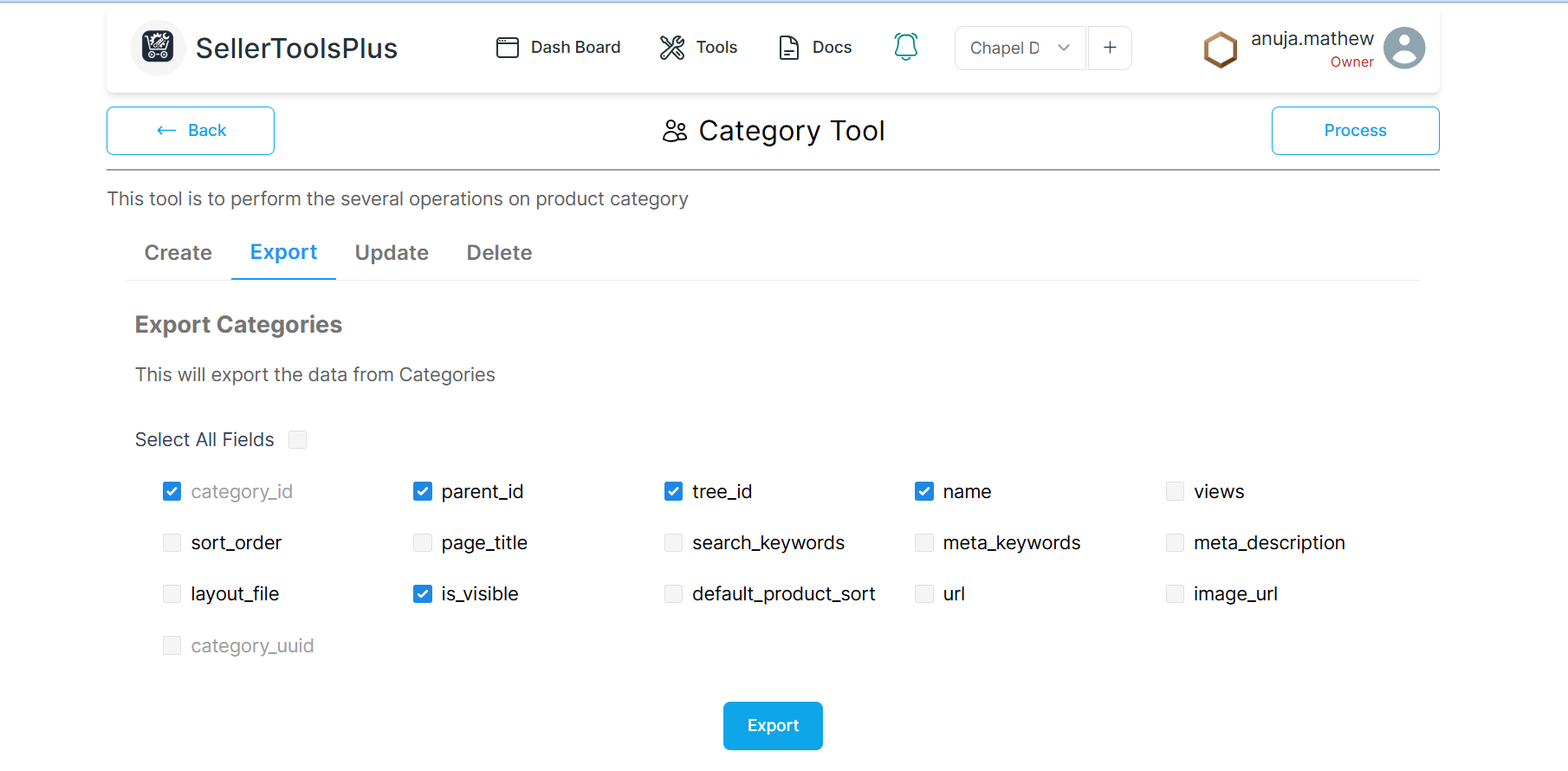
Export Existing Categories:
- To export exsisting categories, go to the Export tab. From there,mark the required fields you want to update. Finally, click the Export Categories button to download the file.
Prepare the New Data:
- Open the exported CSV of your categories. Filter the data to show only what you need for your updates, and make sure the value in category_id column is present for every category you plan to modify.
- Ensure that only the entries you need to update is present in the file. Preferably remove all other entries to avoid unwanted modifications to those items.
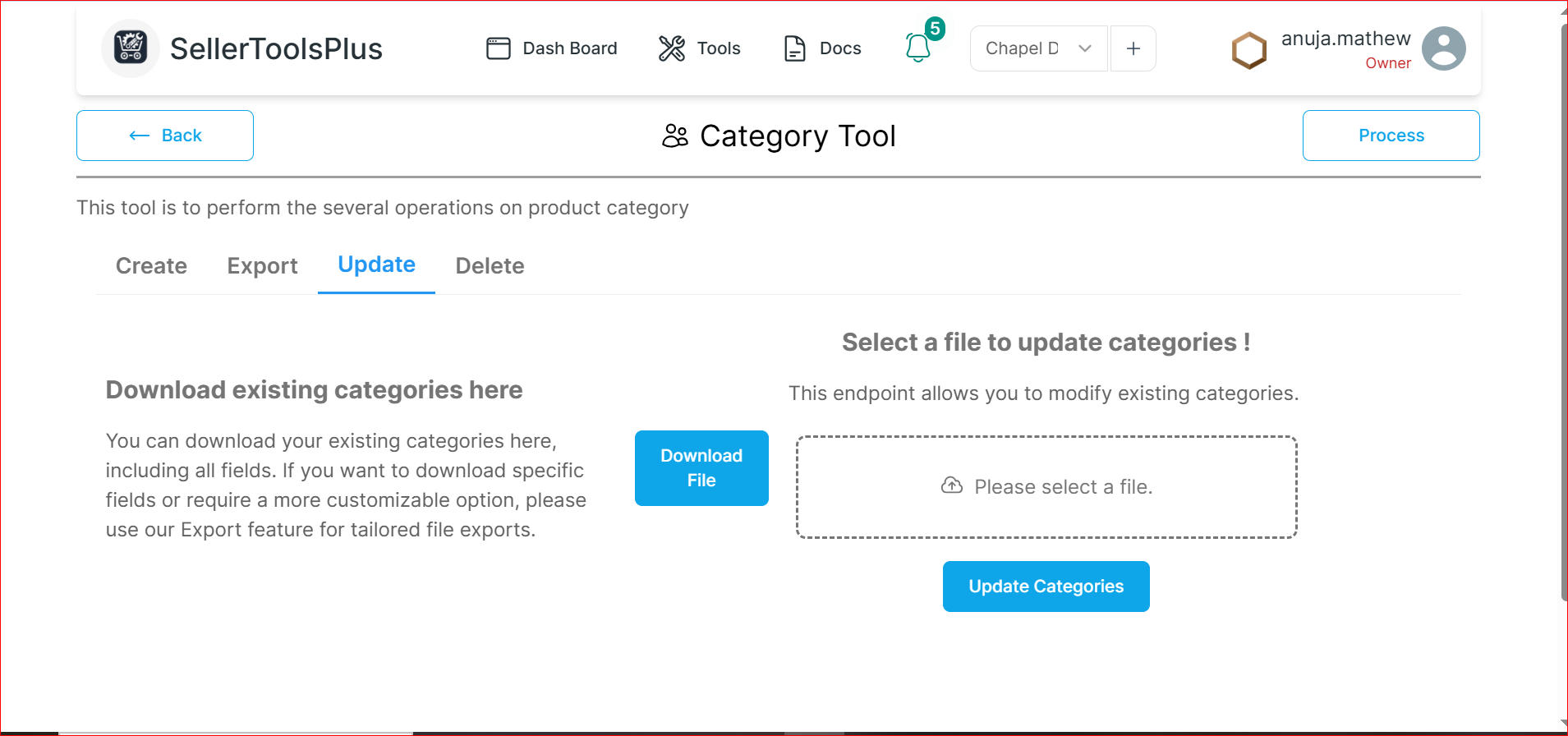
Upload and Update the categories
- To upload your CSV, click "please select a file". Once it's uploaded, click "Update Categories" to apply your changes.
Check for the completion of the process:
You can check the update's progress by clicking the Process button on the right side of the page. In the completed tab all the completed processes will be listed. It will be in pending and then In progress before it is listed in the completed tab.
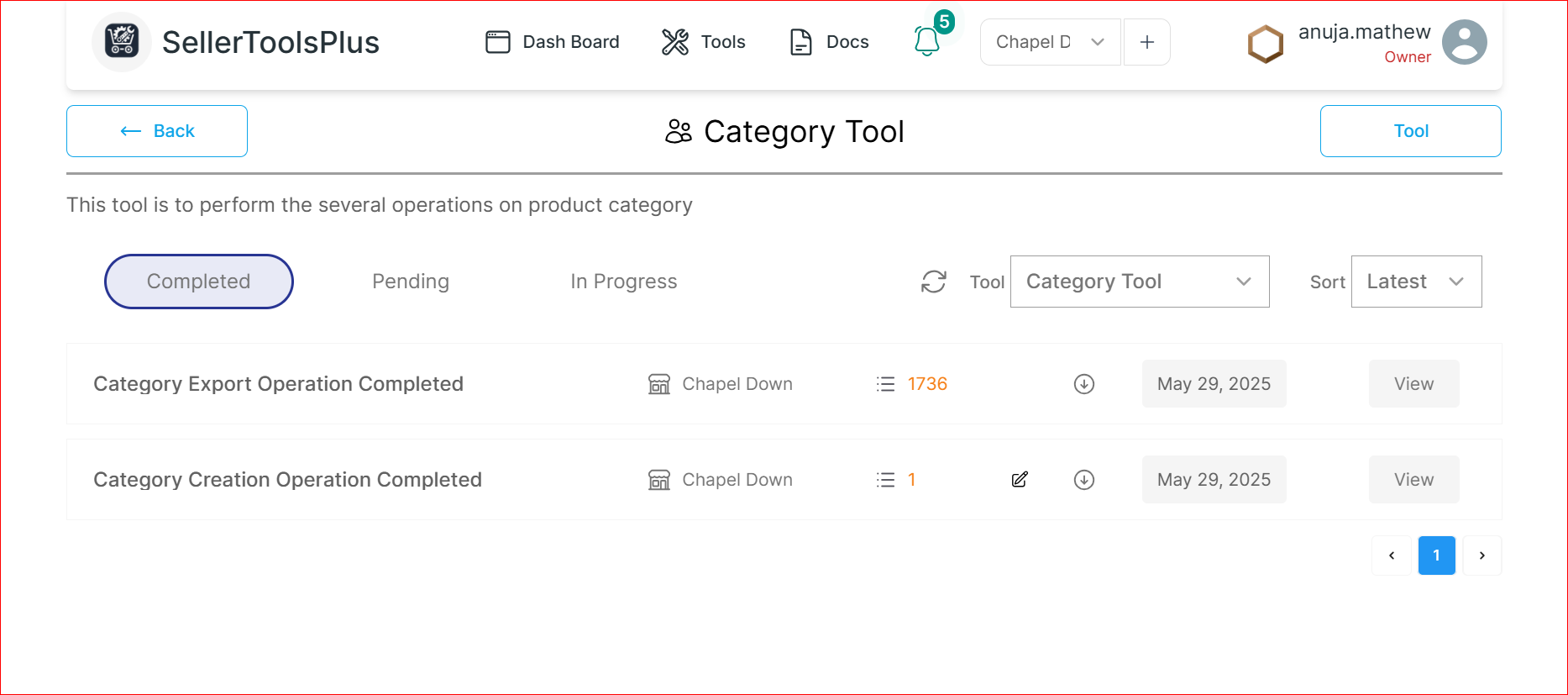
Once you get a notification that it is completed, consider it's done, head to BigCommerce to make sure everything updated correctly.
Important Note
- When you're updating an existing category, the category_id is essential.
- Keep only entries that are required to be updated.