Bento Box Half
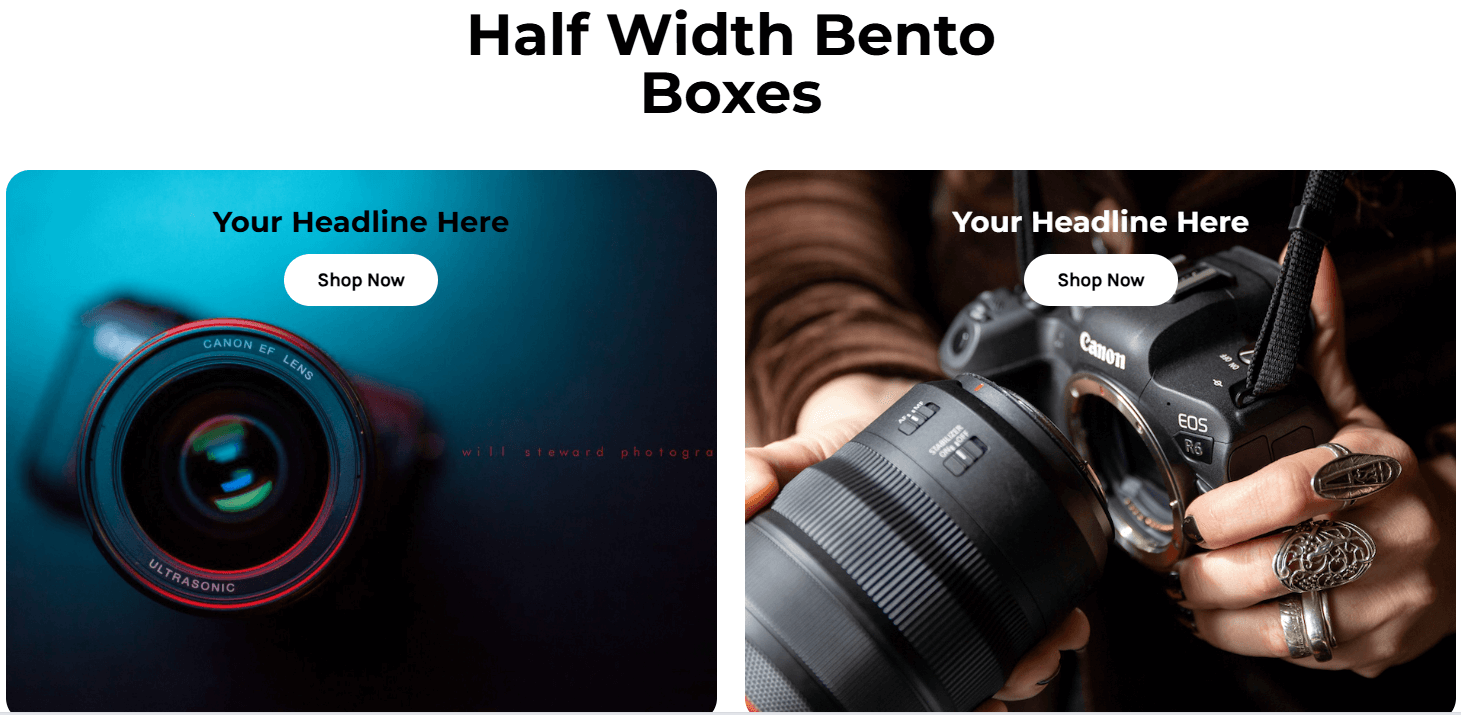
Actual screenshot with sample data
A sophisticated bento box layout system featuring half-width containers with advanced content positioning, overlay elements, and multiple background options. Perfect for creating visually engaging product showcases and content sections.
Overview
The Bento Box Half V2 widget provides a flexible grid system with two equal-width containers that can be individually customized with various background types, content positioning, and interactive elements. Each bento box functions as an independent content unit with comprehensive styling options.
Key Features
Advanced Positioning
- 9-position desktop grid: Full control over content placement (top-left, top-center, top-right, middle-left, etc.)
- 3-position mobile layout: Optimized vertical positioning for mobile devices
- Overlay positioning: Custom horizontal and vertical placement of decorative elements
Background Options
- Solid colors: Single color backgrounds
- Gradient backgrounds: Linear gradients with customizable direction and colors
- Image backgrounds: High-quality images with focal point control
- Responsive images: Separate desktop and mobile background images
Content Elements
- Headline & Sub-headline: Customizable text with individual color and size controls
- CTA Buttons: Multiple button styles with hover effects
- Content Images/Icons: Position above or below text content
- Overlay Images/Icons: Decorative elements with custom sizing and layering
Interactive Features
- Dual CTA support: Primary and secondary call-to-action buttons
- Full-box linking: Entire container becomes clickable when no CTAs are present
- Z-index controls: Precise layering of overlay elements
Configuration Options
Main Settings
| Setting | Type | Default | Description |
|---|---|---|---|
| Main Heading | Element | "Half Width Bento Boxes" | Primary section heading with visibility toggle |
| Heading Tag | Select | h2 | HTML heading tag (h1-h6) |
| Desktop Font Size | Input | 48px | Heading size for desktop |
| Mobile Font Size | Input | 32px | Heading size for mobile |
| Margin Settings | Element | Various | Separate top/bottom margins for desktop and mobile |
Bento Box Settings
Background Tab
| Setting | Description | Options |
|---|---|---|
| Background Type | Choose background style | Solid Color, Gradient Color, Image |
| Solid Color | Single color background | Color picker |
| Gradient Colors | Start and end colors for gradient | Color pickers |
| Gradient Direction | Gradient orientation | Left-right, Top-bottom, Diagonal |
| Desktop Image | Background image for desktop | Image upload |
| Focal Point | Image focus position | Horizontal/Vertical sliders |
Content Tab
| Setting | Description | Options |
|---|---|---|
| Desktop Content Position | 9-position grid for content | All corner/edge positions |
| Mobile Content Position | 3-position vertical layout | Top, Middle, Bottom |
| Headline | Primary text with styling | Text, colors, sizes |
| Sub-headline | Secondary text element | Text, colors, sizes |
| CTA Button | Call-to-action button | Text, URL, style options |
| Overlay Image/Icon | Decorative overlay element | Image/icon, positioning, sizing |
| Link Wrapper URL | Full container link | URL input |