Image Accordion Module
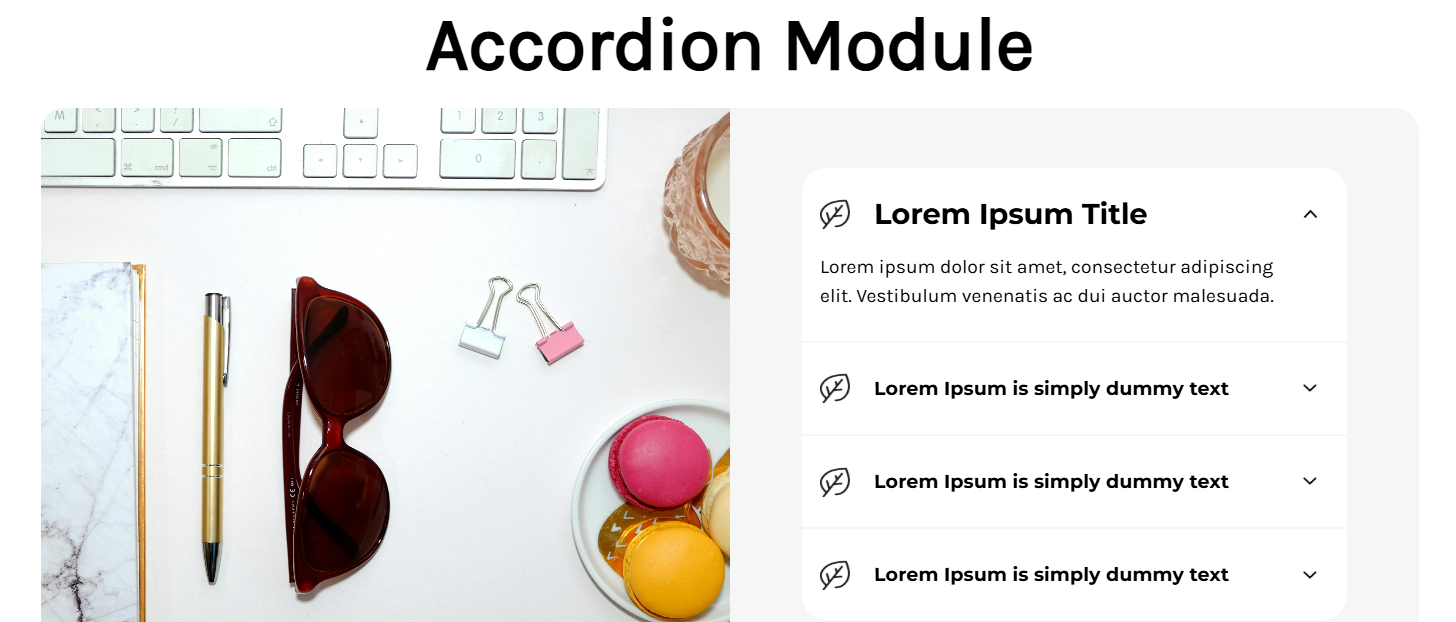
Actual screenshot with sample data
An interactive accordion component with synchronized image display, smooth animations, and comprehensive typography controls. Perfect for FAQs, product features, or detailed information sections where visual context enhances user understanding.
Overview
The Image Accordion Module combines traditional accordion functionality with synchronized visual content, creating an engaging user experience where each accordion item reveals both descriptive text and a corresponding image. With sophisticated animation systems, flexible layout options, and extensive styling controls, this widget provides a powerful solution for content-rich sections that require both information density and visual appeal.
Key Features
Synchronized Image System
- Dynamic Image Updates: Desktop image changes with accordion selection
- Mobile Image Integration: Images display within accordion content on mobile
- Aspect Ratio Maintenance: Consistent 1:1 ratio for all images
- Smooth Transitions: Seamless image swapping with JavaScript coordination
Advanced Animation & Interaction
- Smooth Expand/Collapse: CSS-based height transitions with easing
- Icon Rotation: Animated arrow indicators for state changes
- Scroll Management: Automatic content container scrolling
- Mobile Optimized: Touch-friendly interactions with slide animations
Responsive Layout System
- Desktop Split View: 50/50 text and image layout
- Mobile Stack Layout: Full-width accordion with inline images
- Flexible Image Positioning: Left or right image placement options
- Viewport Adaptation: Height adjustments for different screen sizes
Comprehensive Typography Controls
- Separate Device Styling: Independent desktop/mobile typography
- Hierarchical Text System: Heading, title, and description controls
- Advanced Spacing: Precise margin and padding management
- Color Customization: Complete color system for all text elements
Configuration Options
Accordion Items Configuration
Each accordion item includes:
| Setting | Type | Default | Description |
|---|---|---|---|
| Title | Text | "Default Title" | Accordion header text |
| Description | Text | Lorem ipsum... | Detailed content text |
| Image | Image Manager | Product image | Synchronized visual content |
Typography Settings
Main Heading
| Setting | Desktop Default | Mobile Default | Description |
|---|---|---|---|
| Color | #000000 | #000000 | Heading text color |
| Font Weight | 700 | 700 | Bold weight range (100-900) |
| Font Size | 62px | 32px | Responsive sizing |
| Padding | 0px all | 10px top, 0 others | Container spacing |
| Margin | 20px top/bottom | 5px top, 0 others | External spacing |
Accordion Titles
| Setting | Desktop Default | Mobile Default | Description |
|---|---|---|---|
| Color | #000000 | #000000 | Title text color |
| Font Weight | 700 | 700 | Bold emphasis |
| Font Size | 16px | 16px | Consistent sizing |
Description Text
| Setting | Desktop Default | Mobile Default | Description |
|---|---|---|---|
| Color | #000000 | #000000 | Content color |
| Font Weight | 400 | 400 | Regular weight |
| Font Size | 16px | 14px | Mobile-optimized |
Layout & Styling
Container Settings
- Background Color: #f6f6f6 (default) - Main container background
- Layout Direction: Row/Row-reverse - Image left/right positioning
- Border Radius: 20px - Rounded container corners
- Max Width: 95% - Responsive container sizing
Interactive Elements
- Default Active: First accordion item opens automatically
- Icon Integration: Leaf icons and animated arrows
- Scroll Behavior: Smooth container scrolling
- Border Styling: Subtle separators between items